


Detecting MITRE ATT&CK Techniques in Splunk
I built a hybrid SOC home lab to simulate a real world attack lifecycle. My focus was on mapping raw Windows 11 telemetry to the MITRE ATT&CK Framework and building alerts (SSE) to detect unauthorized activity across the Cyber Kill Chain.
The Architecture
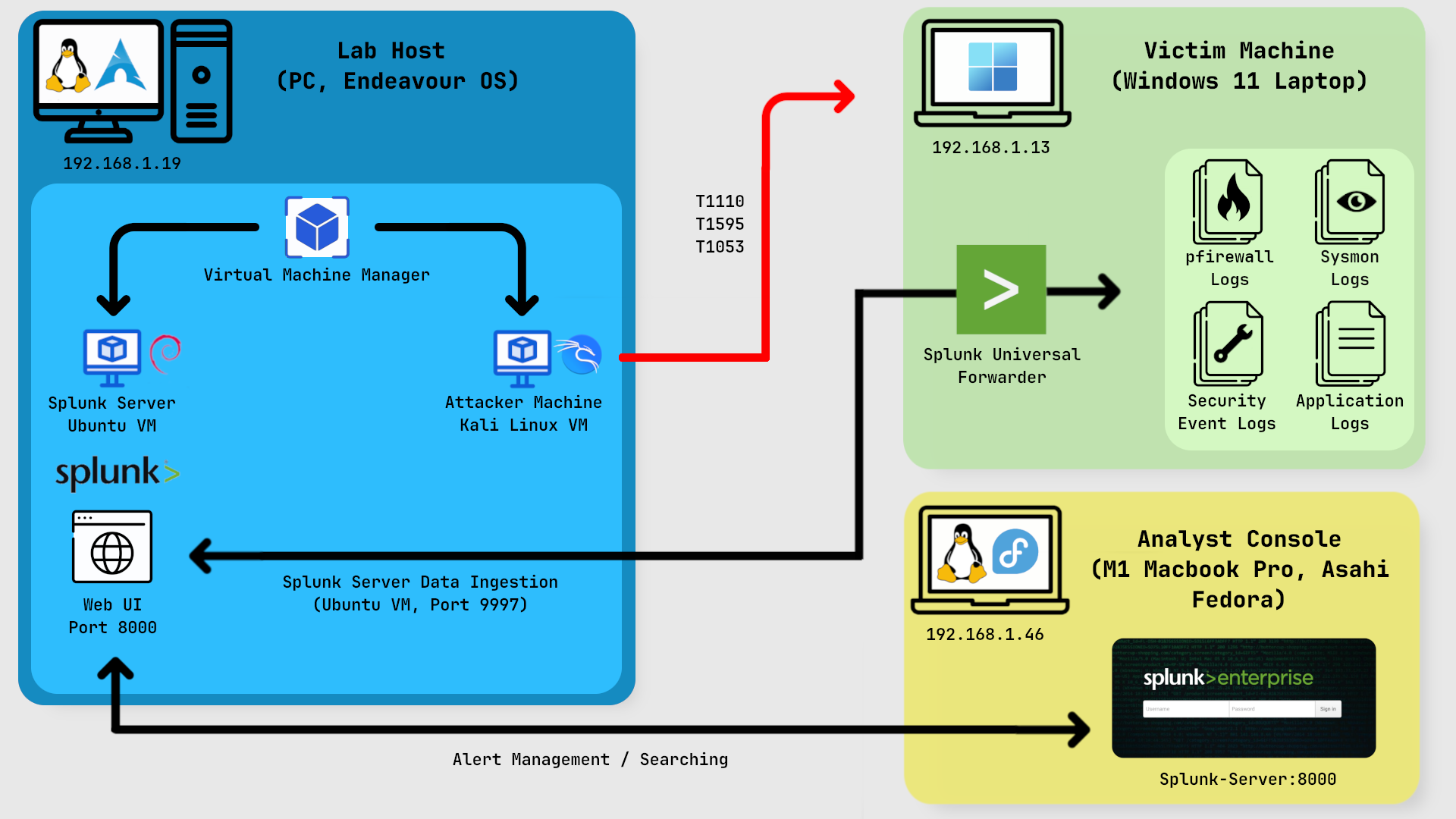
Tools Used
Phase 1: Reconnaissance (T1595 - Active Scanning)
In this phase, I wanted to see which services / ports were exposed on the target machine.
The Attack
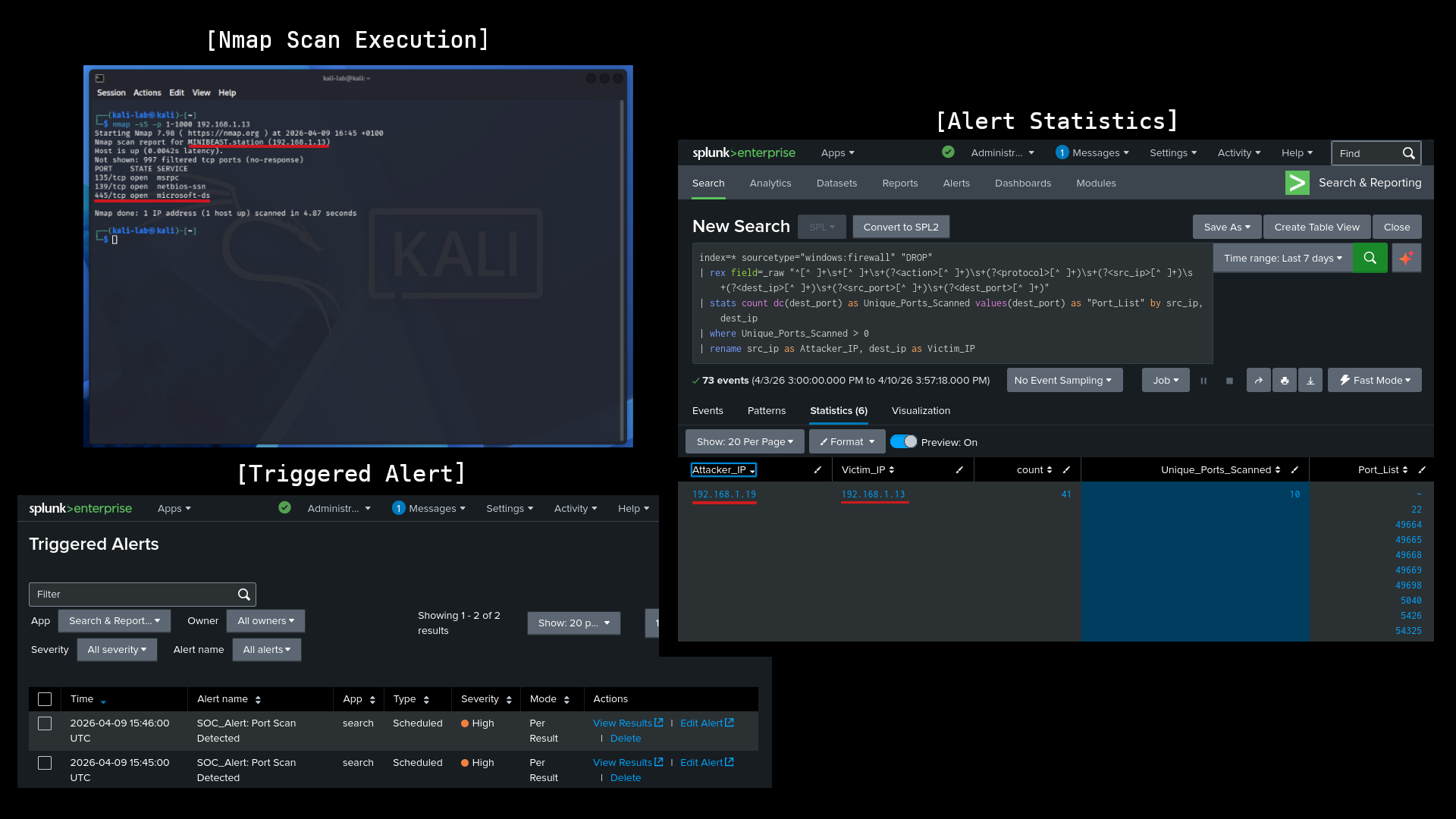
From the Kali Linux Machine, I performed a stealthy TCP SYN scan against the Windows 11 laptop: nmap -sS -p 1-1000 192.168.1.13
The Detection
I ingested Windows Firewall logs into Splunk and adapted a detection from Splunk Security Essentials (SSE) to identify port scanning. I customised the SPL to focus on source IPs hitting more than 10 unique ports within a one minute window, ensuring the logic was tuned to filter out standard network noise while flagging reconnaissance.
Phase 2: Initial Access (T1110 - Brute Force)
With SMB (port 445) confirmed open, I moved on to credential guessing.
The Attack
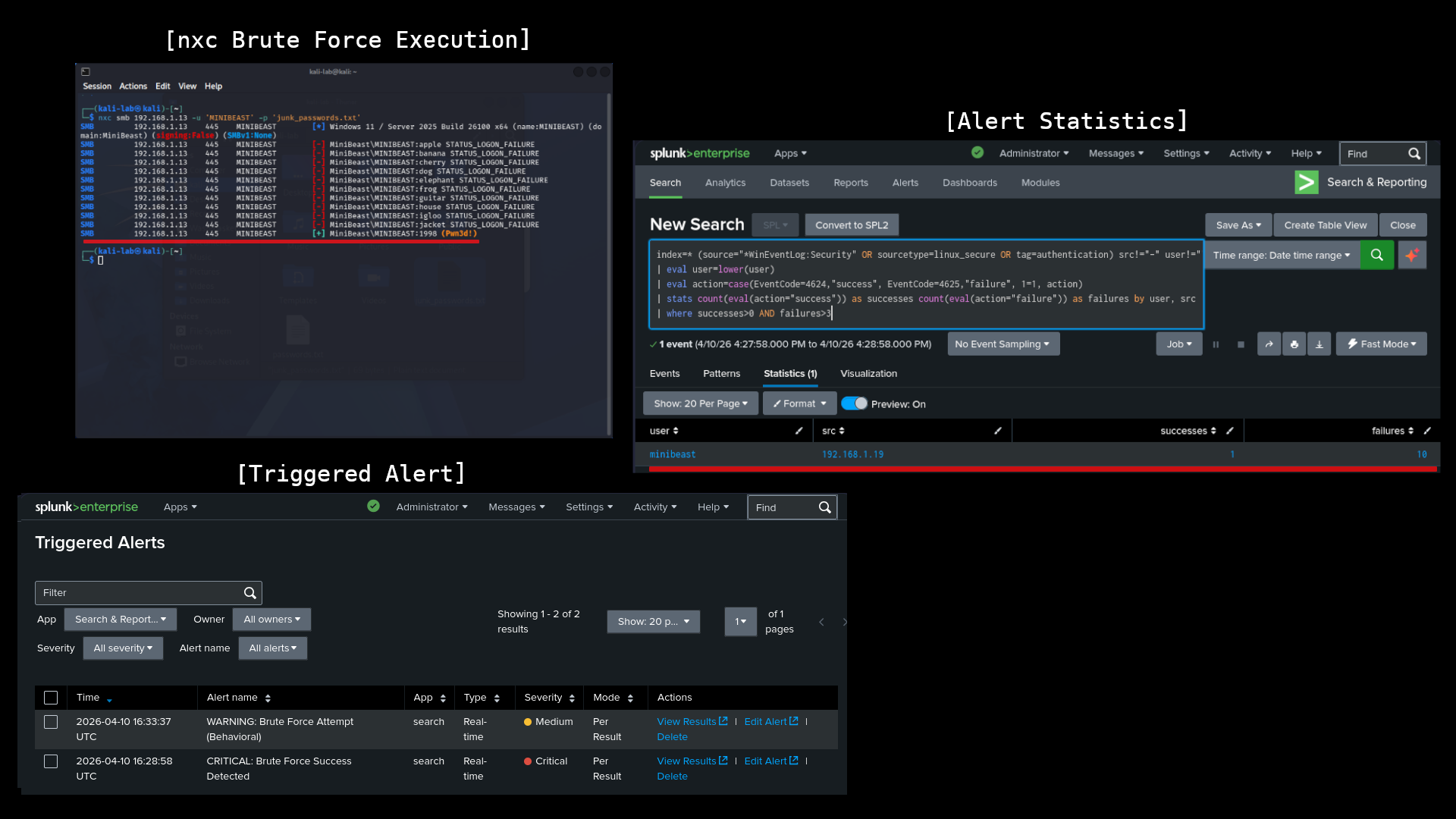
Using NetExec (NXC), I simulated a brute force attack against the local Administrator account: nxc smb 192.168.1.13 -u 'MINIBEAST' -p 'junk_passwords.txt'
The Detection
To catch this, I implemented a two stage alerting strategy. First, I leveraged SSE's brute force baselines to monitor for high volumes of Event ID 4625 ( failed logons). I configured a threshold alert to flag more than 3 failed logins from a single IP within 60 seconds as a behavioral attempt.
I also built a second Success Detected alert. This alert flags a successful login (4624) that follows a series of failures from the same IP. This allowed me to immediately distinguish between a noisy, unsuccessful attack and a critical breach where the attacker actually gained access.

Phase 3: Persistence (T1053.005 - Scheduled Task)
After gaining access, I wanted to maintain a presence on the system by scheduling a malicious task.
The Attack
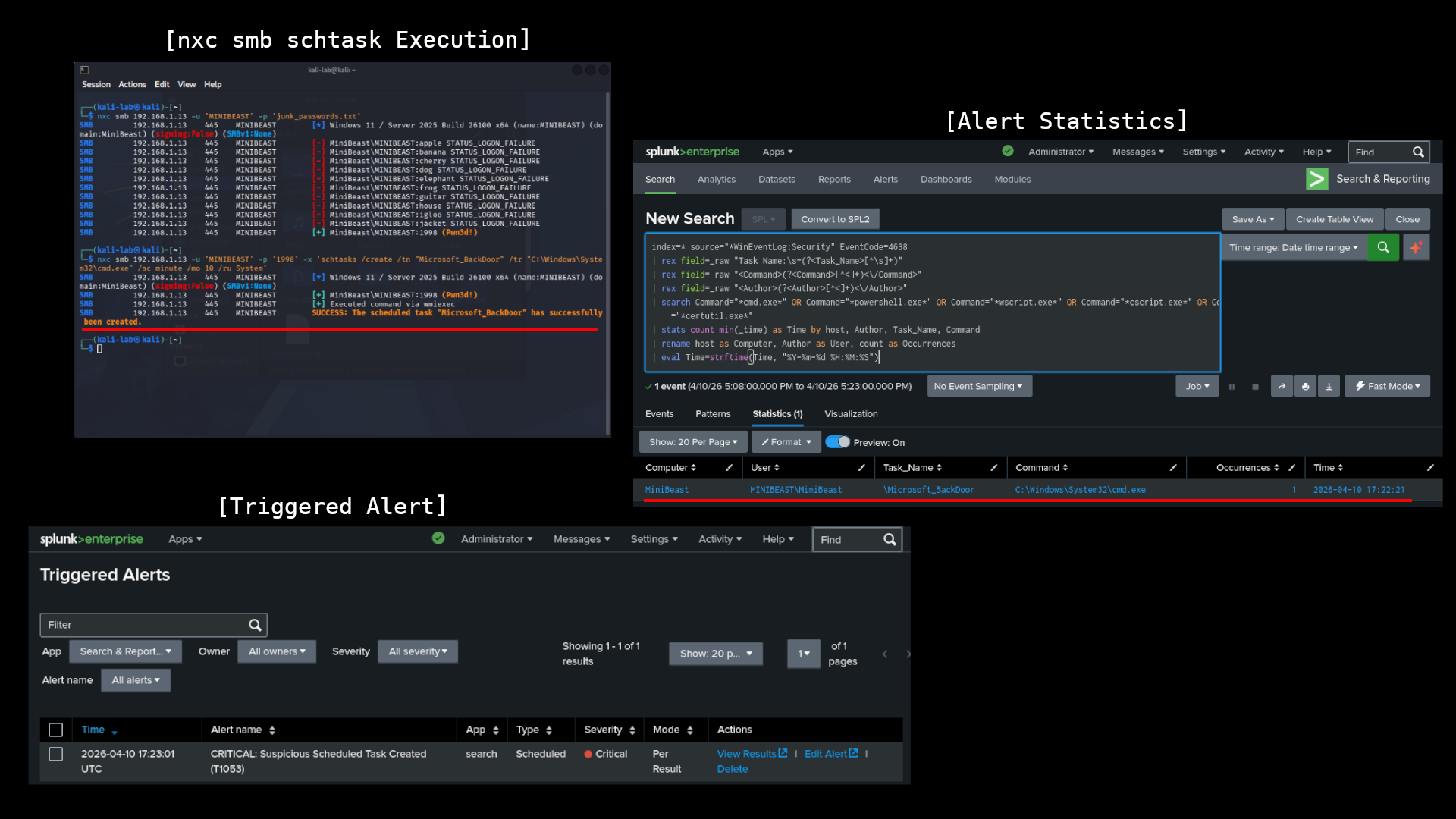
A scheduled task was created to execute a persistent payload upon system boot: nxc smb 192.168.1.13 -u 'MINIBEAST' -p '1998' -x 'schtasks /create /tn "Microsoft_BackDoor" /tr "C:\Windows\System32\cmd.exe" /sc minute /mo 10 /ru System'
The Detection
To catch the scheduled task, I focused on Security Event ID 4698 (A scheduled task was created). By extending standard SSE detection logic, I built an alert that flags whenever a new task is created by a non standard account or points to high risk binaries like cmd.exe or powershell.exe. This allowed me to spot the "Microsoft_BackDoor" task immediately after it was remotely injected via the SMB session.
Engineering Challenges
Bypassing Windows File Locks
One significant challenge was the Windows operating system locking the pfirewall.log file, preventing the Splunk Universal Forwarder from reading it in real-time.
Solution: I implemented a "Path Swap" strategy. By creating a custom PowerShell script to rotate the logs into a separate directory (C:\SOC_Logs\) and adjusting the service permissions to run as Local System, I successfully bypassed the file handle lock and established a continuous data stream to the SIEM.
Conclusion
Setting this up highlighted why multi layered telemetry is critical. Linking up application, system, firewall, security, and Sysmon logs, I was able to turn raw noise into actual detections, catching the attack at every stage from reconnaissance to persistence.